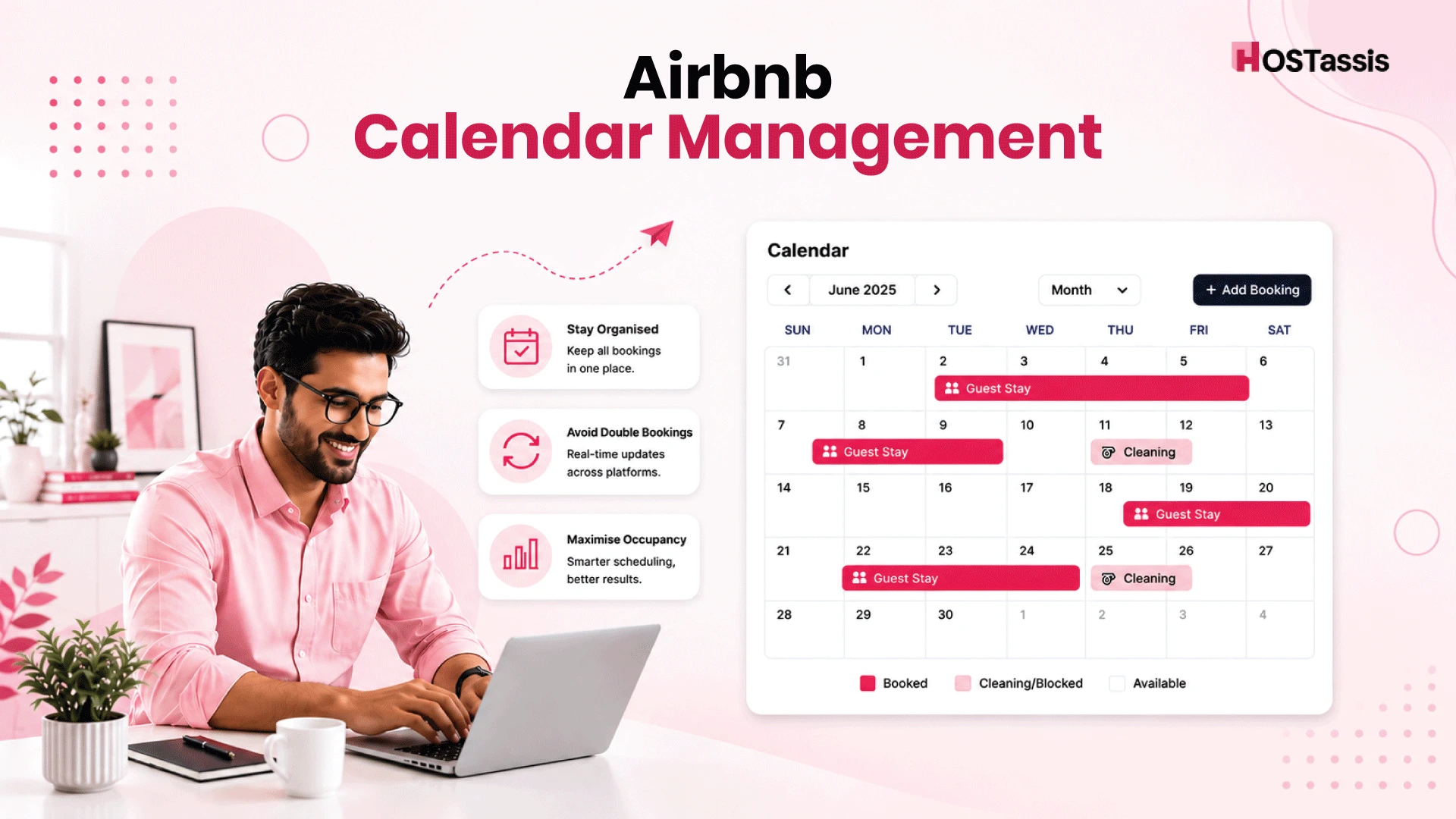
A standard Airbnb calendar helps hosts avoid double reservations, missed dates, and lost revenue. It keeps availability accurate across Airbnb and other rental platforms. Good Airbnb Calendar Management also gives hosts better control over rates, minimum stays, blocked dates, and guest turnover.
A clear calendar plan can also help increase occupancy. Hosts can fill short gaps, adjust rates based on demand, prepare for busy seasons, and reduce empty nights. With regular updates, calendar sync, and smart rules, hosts can protect their income and offer guests a smoother reservation experience.
What Is Airbnb Calendar Management?
Airbnb Calendar Management is the process of keeping your property’s availability, rates, blocked dates, and reservation rules accurate across Airbnb and other booking platforms. It helps prevent double bookings, reduce empty nights, and maintain smooth guest turnover.
Why Calendar Accuracy Matters
Accurate calendar data helps you avoid double bookings, missed reservations, and guest confusion. It also keeps your available dates correct across all platforms, so you can accept more bookings without risking schedule conflicts. Here are some benefits:
- Prevents double bookings
- Keeps availability up to date
- Reduces guest confusion
- Avoids reservation overlaps
- Helps fill open dates
- Supports better pricing decisions
- Improves guest trust
- Makes operations easier
How Airbnb’s Calendar Works
Airbnb’s calendar shows which nights guests can book and which dates are unavailable. When a guest confirms a reservation, Airbnb automatically blocks those dates. It can also block dates based on advance notice, preparation time, minimum-stay rules, and check-in or checkout limits. Hosts can open or block dates, change prices, and sync other rental calendars to help prevent double bookings.
Common Calendar Problems Hosts Face
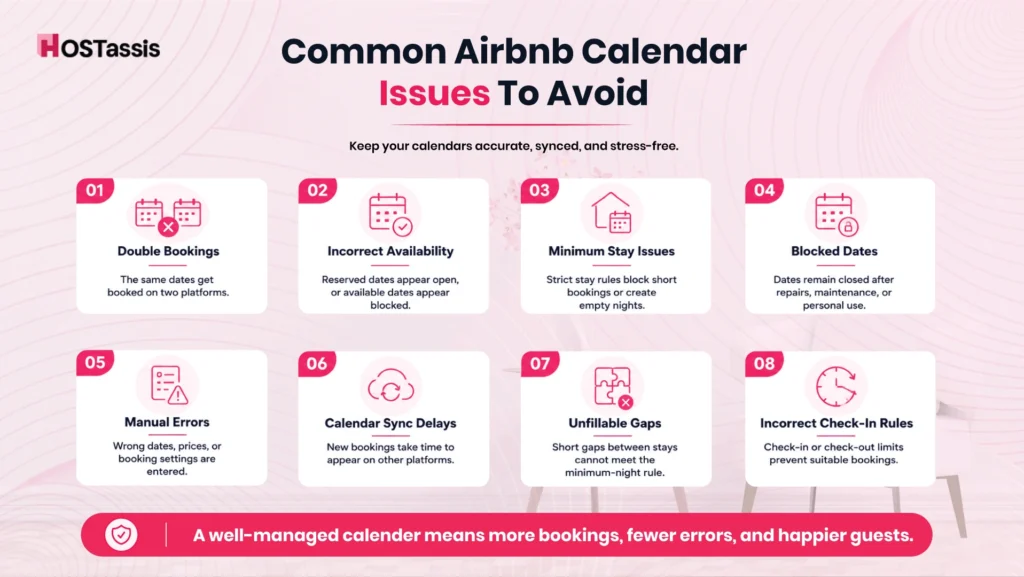
Calendar errors can lead to lost revenue, guest complaints, and reservation disputes. Hosts should review availability, rules, and synced calendars often. We can see some common problems:
Double Bookings
Hosts may forget to reopen dates after repairs, personal use, or maintenance. This usually happens when the calendars do not update on time.
Incorrect Availability
The calendar may show reserved dates as open or available dates as closed. This can lead to missed reservations or booking disputes.
Minimum Stay Issues
Incorrect minimum-stay rules may block short reservations or create gaps between bookings. Hosts should adjust these rules based on demand.
Blocked Dates
Hosts may forget to reopen dates after repairs, personal use, or maintenance. These closed dates can reduce occupancy and revenue.
Manual Errors
A host may enter the wrong dates, prices, or booking rules. Regular calendar checks help catch these mistakes early.
Calendar Sync Delays
External calendars may take time to update. During that delay, the same dates may remain open on another platform.
Unfillable Gaps
Short gaps between reservations may not match the minimum stay rule. Flexible rules can help fill these open nights.
Incorrect Check-In Rules
Incorrect check-in or check-out limits may prevent guests from reserving suitable dates. Review these settings before busy periods.
How to Prevent Double Bookings on Airbnb
- Sync Your Airbnb Calendar Across All Booking Platforms
- Use a Channel Manager for Real-Time Calendar Updates
- Enable Airbnb’s Instant Book Feature Wisely
- Set Proper Booking Windows and Preparation Time
- Review Calendar Sync After Every Reservation
Best Practices for Managing Your Airbnb Calendar
A properly managed calendar helps prevent booking errors, reduce vacant nights, and keep daily operations on track. You can use these practices to keep dates and rules accurate.
Update Availability Daily
Check your calendar each day. Open available dates, close unavailable dates, and confirm that all reservations appear correctly.
Set Booking Windows
Choose how far in advance guests can reserve your property. A clear booking window gives you more control over future dates and property use.
Use Preparation Time
Add enough time between reservations for cleaning, repairs, and property checks. This helps your team prepare the space before the next guest arrives.
Block Personal Dates
Close dates you need for personal use, maintenance, or upgrades. Block them early so guests cannot reserve those nights.
Enable Instant Sync
Link calendars across every booking platform. Fast updates help keep availability consistent and reduce the risk of double bookings.
Review Booking Rules
Check minimum stays, advance notice, and check-in limits often. Make sure each rule matches your current needs and local demand.
Check for Open Gaps
Look for short gaps between reservations. Adjust stay rules or rates when possible to attract bookings for those dates.
What to check weekly
Managing Multiple Booking Platforms
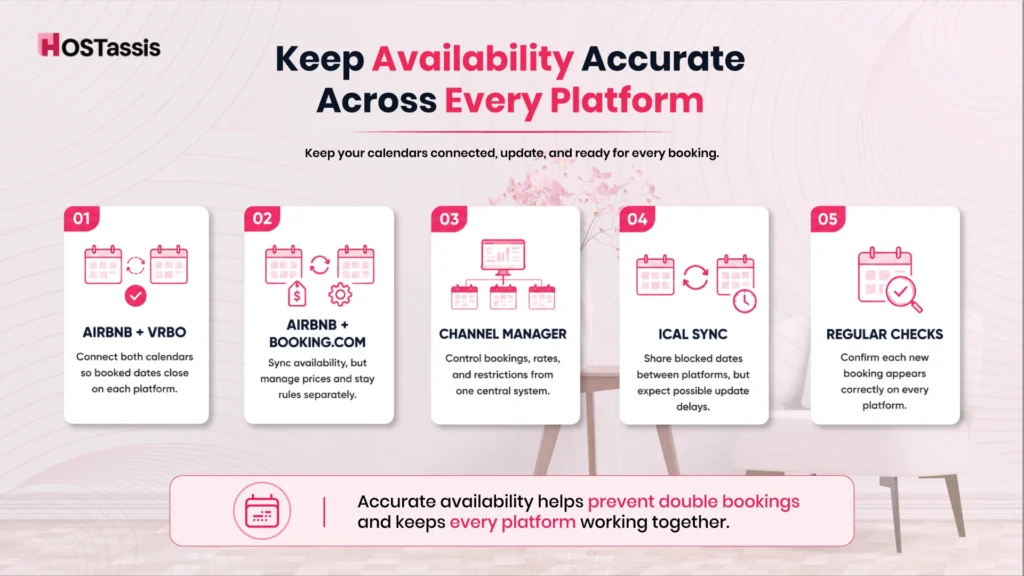
If you list your property on several platforms, it can increase reservations, but it also raises the risk of calendar errors. Keep every calendar connected and check that each new reservation blocks the correct dates.
Airbnb + Vrbo
Connect both calendars with their iCal links. A reservation on Airbnb should block the same dates on Vrbo, and the reverse. Since calendar updates may take time, check both platforms after each new booking.
Airbnb + Booking.com
You can connect Airbnb and Booking.com via iCal when available. This keeps reserved dates closed on both platforms. However, you may still need to manage prices, minimum stays, and other rules separately.
Channel Managers
A channel manager connects all booking platforms to one central calendar. It can update availability, reservations, rates, and restrictions across connected channels. This option works best for hosts with several listings or platforms.
iCal Sync
iCal sync connects calendars through shared links. It allows reserved dates on one platform to appear as blocked on another. Updates may not appear at once, so regular checks are still important.
Tips for Optimizing Airbnb Calendar for Maximum Bookings
- Keep Your Airbnb Calendar Updated Regularly
- Set Competitive Rates with Dynamic Pricing
- Optimize Your Booking Window for More Reservations
- Adjust Minimum and Maximum Stay Requirements
- Use Last-Minute Discounts to Fill Empty Dates
- Sync Your Calendar Across Multiple Booking Platforms
- Leverage Airbnb Smart Availability Features
- Plan for Seasonal Demand and Local Events
- Automate Calendar Management with Hosting Tools
Tools That Simplify Calendar Management
The right tools can reduce manual work, prevent booking errors, and keep every calendar up to date. Hosts can use channel managers, property management systems, pricing tools, and automated alerts to control availability, rates, and reservation rules from one place.
Channel Managers: Channel managers connect multiple booking platforms to a single calendar. They update reserved dates across all channels and help reduce double bookings.
Property Management Systems: A property management system centralizes reservations, guest details, tasks, and calendars in a single dashboard. It works well for hosts with several listings.
Dynamic Pricing Tools: Pricing tools adjust nightly rates based on demand, season, local events, and open dates. They can help increase occupancy and revenue.
Calendar Alerts: Alerts notify hosts about new reservations, cancellations, open gaps, and schedule changes. This helps hosts respond before a small issue becomes a larger problem.
Automated Rules: Automated rules can control minimum stays, preparation time, booking windows, and last-minute availability. They save time and keep calendar settings consistent.
Common Mistakes That Cause Double Bookings
Double bookings often happen because calendars do not update correctly across platforms. A missed reservation change or an open date can allow another guest to book the same night. Regular calendar checks help hosts catch these errors before they cause problems.
- Calendars are not linked: A confirmed booking on one platform may still appear available on another.
- Calendar updates are delayed: New bookings may take time to appear across all platforms.
- Dates are added incorrectly: A simple date error can lead to overlapping reservations.
- Blocked dates are forgotten: Personal stays, maintenance, or repair dates may remain open for booking.
- Reservation changes are overlooked: Updated check-in or check-out dates may not sync everywhere.
- Too many calendars are managed separately: Checking each platform one by one makes availability harder to control.
- Availability is not updated: Old calendar settings may show unavailable dates as open.
- Cancellations are not reviewed: A canceled booking may leave incorrect availability on other platforms.
- Booking settings are incorrect: Poor gap rules may allow bookings to be too close together.
- Calendars are not reviewed regularly: Small issues can go unnoticed until another guest books the same dates.
Frequently Asked Questions
Here are some questions that can help you avoid common mistakes.
1. Can Airbnb Calendar Management Prevent Double Bookings?
Yes. Accurate updates and calendar sync help keep reserved dates closed across all platforms.
2. Should I Check My Airbnb Calendar Every Day?
Yes. Daily checks help you catch open dates, wrong settings, and missed reservation changes.
3. Does Airbnb Block Date After a Confirmed Reservation?
Yes. Airbnb automatically closes the reserved nights on your Airbnb calendar.
4. Can I Connect Airbnb With Vrbo and Booking.com?
Yes. Calendar sync or a channel manager can connect availability across these platforms.
5. Does Calendar Sync Update Instantly?
No. Some calendar links may take time to show new reservations or changes.
6. Do I Need a Channel Manager for One Listing?
No. Basic calendar sync may be enough if you manage only one property on a few platforms.
7. Can Minimum Stay Rules Reduce Occupancy?
Yes. Strict minimum stays can leave short gaps between reservations unbooked.
8. Should I Block Dates for Maintenance and Personal Use?
Yes. Block those dates early so guests cannot reserve the property when it is unavailable.
9. Can Dynamic Pricing Tools Help Fill Open Dates?
Yes. They can adjust rates based on demand, season, and last-minute availability.
10. Is Manual Calendar Management Enough for Several Listings?
No. Multiple listings and platforms are easier to control with a property management system or channel manager.
Conclusion
Effective Airbnb calendar management helps you avoid double bookings, reduce guest confusion, and keep your operations under control. Regular updates, clear communication, and the right calendar tools can prevent most common errors. A well-managed calendar also makes it easier to plan cleanings, maintenance, and guest turnover.
When your availability is consistent across all platforms, you can accept more bookings with confidence and improve occupancy. Review your calendar often, block out unavailable dates, and update it as soon as changes occur.
These simple habits protect your reputation and help you run a smoother, more profitable rental business.