What changed in the Airbnb 2026 Fall Update?
Quick answer: Airbnb announced its 2026 Fall Update on 30 September 2026. For hosts, it adds an optional dynamic pricing tool, a 15% top-rated guest discount, AI earnings and pricing insights, a multi-listing calendar for larger portfolios, 3D floor plans and Smart Setup. Guests also get AI search by text or voice, starting in the US. The sensible first moves are to set a safe price floor, check how discounts combine, and review each new setting before you switch it on.
We run guest messaging, calendars and pricing workflows for Airbnb hosts, so we’ve written this the way we brief our own team: what Airbnb has confirmed, who it affects, and what we’d do about it. Where something is our recommendation rather than Airbnb’s, we say so.
Airbnb notes that availability “may vary based on location, timing, and eligibility” (Airbnb Resource Centre). If a feature isn’t in your dashboard yet, it may still be rolling out.
Airbnb 2026 new features at a glance
| Feature | Who it’s for | Status (per Airbnb) | Our first step |
|---|---|---|---|
| Dynamic pricing | Hosts who opt in | Rolling out from October 2026 | Set your price floor first |
| Top-rated guest discount (15%) | Hosts who opt in; guests rated 4.8+ with 3+ reviews | Available now | Check how it stacks with your other discounts |
| AI earnings insights | Hosts with 5 or fewer listings | Rolling out from 30 September | Treat suggestions as a second opinion |
| Pricing and availability insights | Hosts | Rolling out from October | Compare against your own data |
| Multi-listing calendar | Hosts with 6+ listings (desktop default) | “In the coming months” | Plan listing groups and edit rights |
| 3D floor plans | Hosts with a compatible iPhone Pro or iPad | Available now, all hosts in the coming weeks | Scan your hardest-to-picture layout |
| Smart Setup | Eligible US homes | Now in the US; outside the US early 2027 | Check every auto-filled detail |
| AI search (text and voice) | Guests | Starting in the US | Make sure amenities and descriptions are accurate |
| AI descriptions and wishlist comparison | Guests viewing search results | Live | Keep listing details current |
| Airbnb Services | Guests; opted-in hosts in Phoenix and Orlando | Varies by city | Mention relevant services to guests |
| Connect and Travel Map | Guests and their connections | Live | Expect reviews to be seen more widely |
| AI customer support | Hosts and guests | 50+ languages; voice expanding | Know how to reach a human agent |
Sources: Airbnb Newsroom and Airbnb Resource Centre, both 30 September 2026.
Airbnb AI search for hosts: what’s confirmed and what to do
Short answer: Guests can now search Airbnb in their own words or by voice, starting in the US. Search results also show AI-written descriptions of each home’s key features. Airbnb hasn’t said how AI search ranks listings, so the safest approach is to make sure everything you tell Airbnb about your home is complete and accurate.
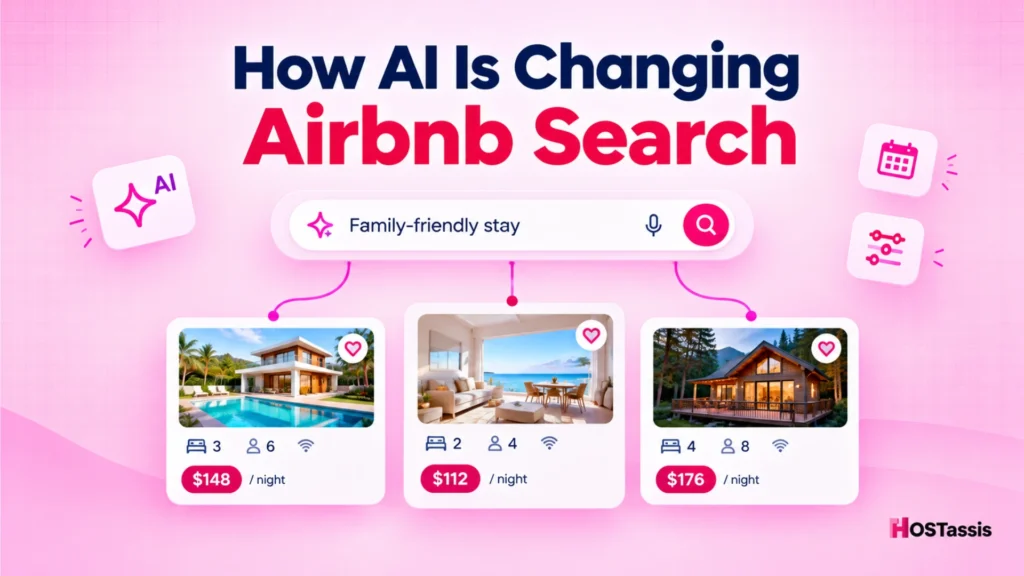
Airbnb’s fall update announcement confirms three things. Guests can type or speak a request in plain language. They can type keywords inside filters: Airbnb’s example is “baby”, which surfaces cribs, playgrounds and children’s books and toys. And guests can compare saved homes side by side, with AI summaries of key features.
What Airbnb hasn’t published is which listing fields the AI uses or how it orders results. Be wary of anyone promising an “AI search ranking hack”.
What we’d change in your listing this week
This is our operational advice, not an Airbnb ranking rule. If a guest filters for something you offer but haven’t ticked, a filter can’t match it.
- Tick every amenity you actually have. Go through the full list, not just the popular ones: crib, dedicated workspace, EV charger, free parking, lake access.
- Describe the home in plain language. Say who it suits, what’s nearby and how long it takes to get there.
- Remove anything outdated. If the hot tub is gone or the Wi-Fi speed has changed, update it. An AI summary built on old details sets the wrong expectation.
- Complete house rules and accessibility details. Guests ask about these in plain language.
If bookings have already dipped, our audit of what to do if your Airbnb bookings are slowing down pairs well with these steps.
Airbnb dynamic pricing 2026, the top-rated guest discount and AI insights
Airbnb’s new dynamic pricing tool
Short answer: Airbnb’s dynamic pricing tool is optional. Airbnb generates price recommendations for the year ahead, shows a suggested range on a pricing curve, and adjusts your nightly prices daily. You can override any night or turn it off at any time. Airbnb says it differs from Smart Pricing in four ways: optional price limits, a curve you can adjust, a 52-week forecast and more detailed competitiveness insights.
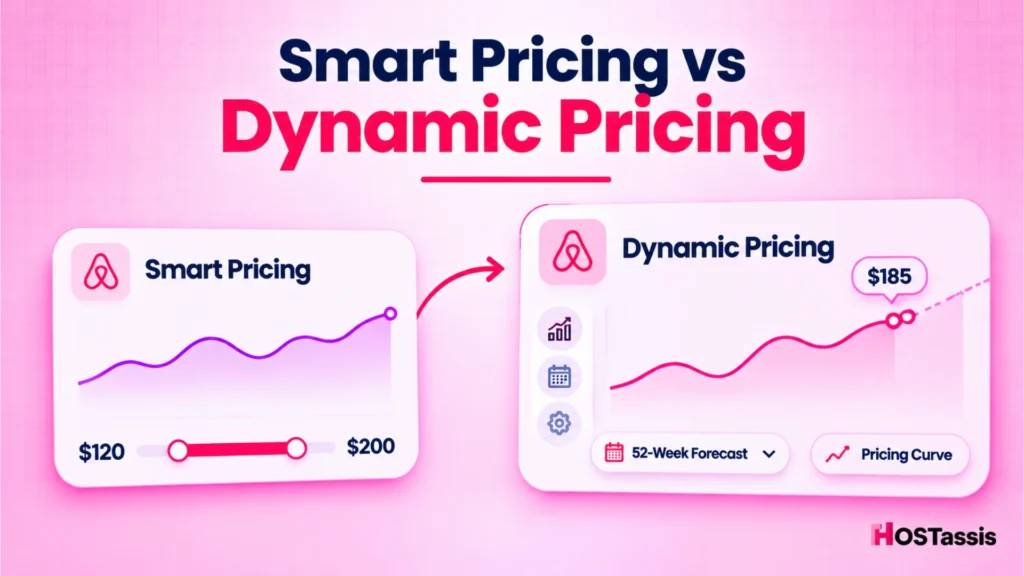
Airbnb explained the difference in its 14 October 2026 introduction to dynamic pricing. In Airbnb’s words, “Both tools adjust prices daily based on demand, but dynamic pricing includes the following upgrades”:
| Smart Pricing | Dynamic pricing | |
|---|---|---|
| Daily price changes based on demand | Yes | Yes |
| Price limits | Minimum and maximum required | Optional |
| Adjusting the recommendation | Prices move within your limits | Drag the pricing curve up or down to compare competitiveness |
| Forecast | Upcoming period | Price ranges previewed up to 52 weeks ahead |
| Context | Map of similar listings | How competitive your prices are, and why Airbnb recommends them |
Source: Airbnb Resource Centre, 14 October 2026 and Smart Pricing Help Centre article.
Airbnb says its recommendations draw on local demand, seasonality, your listing details, similar listings (by space, amenities and ratings) and what guests search for and pay. The setup appears in your calendar once the tool is available to you. You can then review the recommended prices before applying them.
Airbnb’s motive is worth knowing. On the Q2 2026 earnings call, Chief Financial Officer Ellie Mertz said: “In many cases, that means we encourage our hosts to bring their prices down” (Q2 2026 transcript). Airbnb wants more nights booked across the platform. You want the best profit from your property. Those goals overlap, but they aren’t the same.
Our recommendation: price limits are optional in dynamic pricing, but we’d still set them. Put the minimum at or above your true cost per night: cleaning, supplies, utilities, platform fees and management. Use one automated pricing engine per listing too. Airbnb’s dynamic pricing article doesn’t cover third-party tools, and PriceLabs itself advises turning Airbnb’s Smart Pricing off when you use PriceLabs. Two systems writing to the same calendar is how a peak-season Saturday ends up underpriced.
A minimum nightly rate is not the same as a minimum payout. Discounts, Airbnb’s service fee and per-stay costs all come off afterwards. Airbnb’s own Q&A on dynamic pricing asks whether discounts can take prices below your minimum, so check that answer for your account and look at the final payout, not just the nightly rate. Our breakdown of how much Airbnb charges hosts in 2026 covers the fee side.
Illustrative example (hypothetical figures, not client data): you set a $150 minimum. A top-rated guest books two nights at that minimum with the 15% discount, so the nightly rate becomes $127.50 and the stay subtotal is $255. Add an $80 cleaning fee and assume a 15.5% host-only service fee. The payout is about $283. Take off $80 for the cleaner and $60 for supplies and utilities, and you keep about $143, or roughly $72 a night. The same stay without the discount would leave about $181. Your fee rate and costs will differ, so run the sum with your own numbers.
The Airbnb top-rated guest discount
Short answer: Hosts can choose to offer 15% off to guests rated 4.8 stars or higher with at least three reviews. Airbnb says hosts who offered similar discounts earned 19% more and had 24% more nights booked on average, based on an experiment from 31 July to 30 August 2026. Airbnb describes these as modelled results that may vary by listing and market.
Those figures come from Airbnb’s Resource Centre. An earlier version of Airbnb’s page, quoted by several industry sites, cited smaller figures from a shorter June to July pilot. Either way, it was a one-month experiment, not a guarantee for your listing.
Two checks before you switch it on:
- Discount stacking. Airbnb’s discount rules allow only one of these per booking: new listing, custom, length-of-stay, early-bird or last-minute. The top-rated guest discount can be combined with any one of them. A 15% top-rated discount on top of a 15% last-minute discount takes a large slice off the nightly rate.
- Margins on short stays. On a one-night stay with high turnover costs, 15% off may leave little profit. Our guide to Airbnb cleaning fee strategy helps you balance the two.
AI earnings insights and pricing and availability insights
Short answer: Hosts with five or fewer listings get AI earnings insights that summarise performance, compare expected earnings with similar nearby listings and suggest actions. Separate pricing and availability insights, rolling out from October, use local demand data to suggest calendar changes.
Airbnb’s examples include turning on Instant Book, adding missing amenities and adjusting last-minute settings. The pricing insights draw on what guests nearby are searching for and booking, which hosts can’t see on their own.
Treat these as a second opinion. Airbnb doesn’t see your mortgage, your cleaner’s rates or the weekends you block for family. If you report to an owner, note any suggestion you accept so the next statement explains it. Our owner statement checklist covers what to include.
Listing and calendar tools: 3D floor plans, Smart Setup and the multi-listing calendar
3D floor plans
Short answer: Hosts can scan their home in the Airbnb app to create an interactive floor plan guests can explore before booking. Airbnb lists the iPhone 12 Pro or later and iPads with a LiDAR camera as compatible. Processing takes 24 to 48 hours, and the floor plan only shows once you choose to display it.
Floor plans answer what photos often can’t: is the second bedroom upstairs, can two couples get some privacy, is the bathroom shared? Clearer layouts mean fewer pre-booking questions and fewer “not what I expected” reviews. According to the Help Centre, the scan can also spot amenities you might add to your listing. Check them before you publish.
Smart Setup
Smart Setup creates a new listing from the home’s address, pulling in property details you can choose to use and edit before publishing. It’s rolling out for eligible US homes now and is expected outside the US early next year. Treat the auto-filled details as a draft and check bedroom counts, bathrooms and amenities.
The Airbnb multi-listing calendar
Short answer: Airbnb’s multi-listing calendar lets hosts view open nights and reservations across listings and update prices, availability, minimum stays and last-minute discounts in groups. It becomes the default desktop calendar for hosts with six or more listings “in the coming months”.
Guest-side changes hosts should know about
Airbnb Services: groceries, laundry and baby gear
Guests can add services to a trip inside the Airbnb app. Groceries with Instacart cover most US stays, with Canada following, and guests can order up to three weeks before check-in. In Phoenix and Orlando, hosts who opt in can receive the order and stock the fridge and pantry before arrival. Airbnb also lists laundry with Rinse in selected US cities, baby gear with BabyQuip in more than 60 US cities from November, boat rentals in South Florida, and meal delivery and ski hire in parts of Europe.
For most hosts, these reduce small arrival problems. A short line in your pre-arrival message is enough. If you’re in Phoenix or Orlando, check that stocking fits your turnover schedule before you opt in.
Connect and Travel Map
Guests can connect with friends, family and past travel companions and see where each other have stayed on a Travel Map, including their reviews. Guests choose which trips appear and can hide them at any time.
The host takeaway: a review may now reach a guest’s own circle, not just strangers browsing your listing. If a review breaks Airbnb’s rules, our guide to Airbnb review removal explains what Airbnb will take down.
AI customer support
Airbnb’s support starts with an AI assistant in more than 50 languages, with voice support expanding. On the Q2 2026 earnings call, CEO Brian Chesky said nearly 45% of issues that start with the assistant are resolved without a human agent.
For damage claims, payout problems or guest disputes, you’ll usually still want a person. Keep photos, messages and receipts ready, and ask for a human agent if the AI can’t resolve the issue. Our guide to Airbnb host cancellation penalties covers one of the most common reasons hosts contact support.
HOSTassis operational perspective: what hosts should watch
This section is our view from day-to-day short-term rental operations, not Airbnb guidance.
Bulk calendar changes. The multi-listing calendar makes it easy to change forty listings with one wrong click. Group listings by pricing logic, such as all one-bedroom flats in the same building, not by location alone. Decide who on your team can make bulk edits, and check cancellation policy and minimum-stay changes before saving. Our guide to Airbnb cancellation policies in 2026 explains the trade-offs.
Pricing automation conflicts. Before enabling dynamic pricing, list every tool that can change a nightly rate on that listing: Smart Pricing, a third-party pricing tool, your PMS or channel manager rules, and manual overrides. Keep one source of truth and switch the others off for that listing.
Revenue protection. Put a written minimum nightly rate on every listing and recalculate it when costs change. Then check what actually reaches you. A minimum rate doesn’t protect the payout once discounts and fees are taken off, so test real combinations. A top-rated guest discount stacked with a last-minute discount on a one-night stay is the scenario most likely to erode margin.
Channel management synchronisation. If you also list on Vrbo, Booking.com or your own site, don’t assume a change made in Airbnb’s calendar will reach your other channels. Whether it does depends on your channel manager or PMS and how it’s connected. Many tools only push changes outwards, and some overwrite Airbnb edits on the next sync. Check your tool’s documentation, decide where price and availability changes should be made, and spot-check one listing on each channel after any bulk change.
Access permissions. New pricing and bulk tools raise the stakes of who can edit what. Give co-hosts and assistants the lowest access level that lets them do their job. Our guide to Airbnb co-host permissions explains each level, and how Airbnb co-host payouts work shows why discount changes affect percentage-based payouts.
Operational documentation. Add a one-line rule for each new tool to your SOPs, for example “no bulk calendar edits without a second check” or “top-rated guest discount on listings X and Y only, reviewed monthly”. Here’s why your Airbnb business needs SOPs before you hire anyone.
What to do this week: a host checklist
- Calculate your price floor for each listing, including all per-night and per-stay costs.
- Choose one pricing engine per listing and turn the others off.
- Review your discounts and how the top-rated guest discount would combine with them.
- Test the top-rated guest discount on one listing for 30 days, then compare occupancy and average nightly rate.
- Audit amenities and descriptions so search filters and AI descriptions reflect the home accurately.
- Scan one floor plan if you have a compatible device, starting with your hardest layout to picture.
- Plan listing groups and edit rights before the multi-listing calendar becomes your default.
- Update saved messages to mention relevant Airbnb Services and include a short script for reaching a human at Airbnb support.
How HOSTassis can help with Fall Update changes
HOSTassis is a remote Airbnb co-hosting and virtual assistant team. We support hosts and property managers with listing optimisation, calendar and pricing coordination, guest communication and operational workflows.
For this update, that could mean reviewing amenities and listing copy, setting price floors and checking discount combinations, or planning multi-listing calendar groups and access rules. You can see how our Airbnb virtual assistant service works or contact us to talk through your setup.
Frequently asked questions
When did the Airbnb 2026 Fall Update come out?
Airbnb announced its 2026 Fall Update on 30 September 2026. Some host tools, including AI earnings insights and 3D floor plans, started rolling out straight away. Dynamic pricing and pricing and availability insights began in October, and the multi-listing calendar follows “in the coming months”.
Is Airbnb’s dynamic pricing the same as Smart Pricing?
No. Airbnb says both adjust prices daily based on demand, but dynamic pricing adds optional price limits, a pricing curve you can drag up or down, a 52-week price forecast and more detail on how competitive your prices are (Airbnb, 14 October 2026). Smart Pricing requires a minimum and maximum price. Whichever you use, we recommend running only one automated pricing engine per listing.
Who qualifies for Airbnb’s top-rated guest discount?
Guests with a rating of 4.8 or higher, rounded to one decimal place, and at least three host reviews. Hosts choose whether to offer the 15% discount. It can combine with one other Airbnb discount, such as last-minute or length-of-stay.
Does the top-rated guest discount really increase earnings?
Airbnb says hosts who offered similar discounts earned 19% more and booked 24% more nights on average in an experiment from 31 July to 30 August 2026. Airbnb describes these as modelled results that vary by listing and market, so test it on one listing first.
How do I make my listing easier to find in Airbnb’s AI search?
Airbnb hasn’t published how AI search ranks listings. It has confirmed that guests can search in plain language and type keywords inside filters. Ticking every amenity you offer and keeping your description accurate gives those filters correct information to work with.
What do I need for Airbnb 3D floor plans?
A compatible Apple device: Airbnb lists the iPhone 12 Pro or later and iPads with a LiDAR camera. You scan the home in the Airbnb app, processing takes 24 to 48 hours, and you then choose whether to show the floor plan on your listing.
Can hosts earn money from Airbnb Services?
Airbnb hasn’t announced host earnings from Services. In Phoenix and Orlando, hosts can opt in to receive and stock guests’ Instacart grocery orders before arrival. Other services, such as laundry and baby gear, are booked by guests.